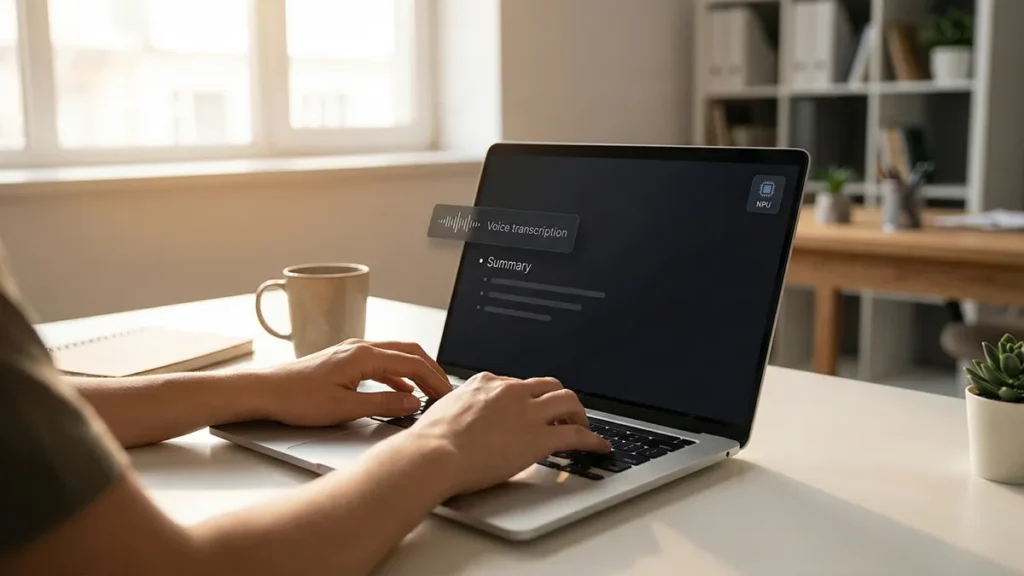
An AI voice recorder for meetings sounds like a simple upgrade: press record, get a clean transcript, and let AI produce action items. In practice, it’s a high-leverage tool that can also become a high-leak workflow. The difference isn’t the device. It’s the system around it: consent, routing, review loops, storage discipline, and a defensible standard for confidential workflows.
This guide is a trust-first blueprint for building an AI voice recorder for meetings setup you can defend. Not a product roundup, not a hype tour. A practical way to capture meetings, extract decisions, and protect privacy—without turning every conversation into a permanent liability.
Table of Contents
- Why an AI voice recorder for meetings is a workflow, not a gadget
- The 4 decisions you must make before you press record
- The features that actually matter in an AI voice recorder for meetings
- Privacy-first routing: the calm architecture for meeting capture
- The review loop that keeps AI summaries from inventing your meeting
- Secure storage: don’t turn transcripts into a silent leak
- A practical 7-step setup you can run this week
- Step 1: Decide the meeting classes you will record
- Step 2: Write a one-sentence disclosure script
- Step 3: Capture locally, label immediately
- Step 4: Transcribe with your chosen routing rule
- Step 5: Generate a structured minutes draft
- Step 6: Run the truth-bearing review loop
- Step 7: Publish “official minutes,” not raw outputs
- Buying checklist: how to choose the right AI voice recorder for meetings
- Common failure modes (and how to fix them fast)
- Disclosure and trust: the credibility advantage most teams miss
- The calm standard for 2026: make your system defensible
Why an AI voice recorder for meetings is a workflow, not a gadget
Most people buy an AI voice recorder for meetings like they buy a microphone: better hardware equals better results. But meeting capture is not “audio quality.” It’s evidence quality. You’re creating an artifact that may be shared, searched, reused, and misinterpreted months later.
That’s why the most useful mindset is orchestration. Treat capture, transcription, summarization, and sharing as a pipeline with gates—exactly like orchestrated workflow design turns scattered AI usage into something stable. The recorder is only one node in the chain.
If you want output you can trust, your AI voice recorder for meetings needs three things that most setups skip: (1) a consent posture, (2) a privacy routing plan, and (3) a review loop that forces accuracy before distribution.
The 4 decisions you must make before you press record
A trust-first AI voice recorder for meetings starts with decisions that are boring on purpose. These decisions reduce regret later.
1) Consent posture: explicit beats ambiguous
Different teams treat consent like a social nicety. In reality, consent is a trust signal. If people feel recorded “by default,” you will get worse conversations and lower-quality meetings. Make recording an explicit moment, not a hidden behavior.
Even if your org already has rules, align your capture workflow with the platform norms your attendees expect. For example, mainstream meeting platforms make recording status visible and permissioned, and they document how recording works at the product level—an example is Google Meet’s recording flow and requirements (recording permissions).
2) Data routing: what stays local vs what goes cloud
An AI voice recorder for meetings becomes risky when audio and transcripts default to third-party cloud services without clarity. Decide what must stay local, what can be processed in approved cloud tools, and what should never be uploaded.
This is where “on-device” stops being a marketing phrase and becomes a governance option. If your work benefits from local processing, the on-device acceleration and eligibility discussion around AI laptops with NPUs is relevant to meeting capture too—because local transcription and local summarization are increasingly feasible for everyday workflows.
3) Accuracy standard: what counts as “good enough”?
Meeting summaries fail in predictable ways: wrong names, wrong numbers, softened commitments, and invented certainty. Define what your workflow must get right. A calm standard is:
- Names and roles must be correct or flagged as uncertain.
- Numbers, dates, and deadlines must be verified against the spoken moment.
- Action items must include an owner and a timeframe—or be marked “unassigned.”
If this sounds strict, it should. An AI voice recorder for meetings is a decision artifact. It should behave like an evaluation system, not a vibe generator. The mindset behind agent evaluation scorecards transfers cleanly here: define “done,” measure failures, iterate.
4) Retention: how long do you keep the raw audio?
Raw audio is high-sensitivity. Transcripts can be redacted, but audio preserves tone, identity, and context. Decide whether you keep audio for days, weeks, or only until the minutes are approved.
Most teams discover too late that “forever” is not a neutral default. A trust-first AI voice recorder for meetings setup treats retention as a policy, not an accident.
The features that actually matter in an AI voice recorder for meetings
Ignore the shiny feature lists. The best AI voice recorder for meetings is the one that creates reliable artifacts while reducing privacy exposure and review time. Focus on these capabilities.
Microphone behavior in real rooms
Meeting rooms are messy: HVAC noise, side conversations, people facing away from the mic. Look for stable capture, not studio sound. Practical signals include:
- Consistent pickup in a 2–5 meter range (for small rooms).
- Noise handling that doesn’t “erase” quiet speakers.
- Low handling noise if the device is moved.
Diarization (speaker separation) that is honest about uncertainty
Diarization is the difference between “minutes” and “a transcript blob.” But diarization is also frequently overconfident. A trust-first AI voice recorder for meetings should either:
- label speakers reliably, or
- label speakers loosely (Speaker 1, Speaker 2) and let humans assign names.
Overconfident speaker labels are worse than missing labels because they create false attribution.
Offline-first capture and exportability
Your device should be useful even when cloud access is blocked or restricted. At minimum, ensure:
- audio can be exported in common formats,
- transcripts can be exported as text, and
- you can move files into your team’s storage system without friction.
Portability is not convenience. It’s your exit strategy if vendor terms change.
Granular sharing controls
The best AI voice recorder for meetings doesn’t just “share a link.” It supports share discipline: who can access, who can download, and what visibility is logged. If your workflow can’t answer “who saw what,” it can’t be trusted in sensitive contexts.
Privacy-first routing: the calm architecture for meeting capture
Most teams treat privacy as a checkbox. A better approach is routing: move the right data to the right place, with minimal exposure.
Tier 1: Local capture (always)
Always capture locally first. Even if you later upload, local capture keeps you in control and reduces dependency on network stability. Your AI voice recorder for meetings should be able to complete the capture job without any cloud requirement.
Tier 2: On-device transcription (when feasible)
On-device transcription is increasingly practical for everyday meetings, especially when hardware and OS support are aligned. Even when on-device models are smaller, they can be strong enough for a first pass that you later correct.
The workflow advantage is simple: sensitive audio stays local while you decide what to share. This is the same “route before you reveal” posture that privacy-first systems emphasize.
Tier 3: Approved cloud processing (selectively)
Cloud AI can be excellent for summarization and clean formatting. But you should treat cloud processing as a choice, not a default. The trust-first move is to upload only what you need:
- prefer transcript-only over raw audio when possible,
- redact obvious sensitive segments before upload,
- avoid uploading full recordings “just in case.”
This reduces risk while keeping the speed benefits.
The review loop that keeps AI summaries from inventing your meeting
If you want a reliable AI voice recorder for meetings, you need a review loop that catches the failures people actually feel: misattribution, missing nuance, and false certainty.
Pass A: Truth-bearing checks
Review only the segments that carry consequences:
- decisions (“we will do X”),
- deadlines and dates,
- numbers (budget, targets, counts),
- risks and blockers.
Don’t read the whole transcript first. Validate the truth-bearing moments first.
Pass B: Action-item contract
Force the output into a contract-like format:
- Action: what exactly will happen?
- Owner: who is responsible?
- Due: when is it due?
- Dependency: what must happen first?
If any field is missing, mark the item as incomplete. This approach turns an AI voice recorder for meetings from a summarizer into an operational system.
Pass C: Tone and intent (only if needed)
Some meetings are “just facts.” Others are sensitive: performance, conflict, negotiation. In those contexts, AI can flatten emotion and soften intent. If the meeting is high-stakes, add a brief human pass to ensure the minutes reflect what was actually meant, not just what was said.
Secure storage: don’t turn transcripts into a silent leak
Once your AI voice recorder for meetings produces transcripts, the next risk is distribution. People forward files, paste into chats, and sync to personal drives. A trust-first system designs storage like a product.
Use a single home for meeting artifacts
Choose one controlled destination: a team drive, a knowledge base, or a doc system with access control. Random storage kills auditability.
Set retention by artifact type
- Raw audio: shortest retention window.
- Transcript: longer, but redact when needed.
- Approved minutes: longest, because they are the “official” version.
This simple separation reduces exposure while keeping organizational memory.
Threat model the “AI layer,” not just the file
If transcripts are fed into AI tools, treat them as sensitive inputs. Modern security guidance explicitly calls out risks like prompt injection, sensitive data disclosure, and improper output handling in LLM applications (OWASP Top 10 for LLM and GenAI apps). That applies even when the content is “just meeting notes.”
Also, if your workflow turns transcripts into tasks, tickets, or tool actions, take the boundary seriously. The controls in prompt injection defense aren’t just for browsing agents—they matter whenever untrusted text can shape actions.
A practical 7-step setup you can run this week
You don’t need perfection to get value. You need a stable default. Here’s a calm setup for an AI voice recorder for meetings that scales.
Step 1: Decide the meeting classes you will record
Not every meeting should be recorded. Start with predictable, low-risk classes: weekly status, planning sessions, internal training, and project syncs.
Step 2: Write a one-sentence disclosure script
Make it consistent and non-dramatic. Example: “I’m recording this to generate minutes and action items; I’ll share a draft for review.” Consistency creates trust.
Step 3: Capture locally, label immediately
Name files the moment the meeting ends (date + topic + team). This reduces orphaned recordings and prevents accidental sharing of the wrong file.
Step 4: Transcribe with your chosen routing rule
Run on-device transcription when it’s sufficient. If you need cloud quality, upload transcript-only when possible. Make your AI voice recorder for meetings behave like a router, not a funnel.
Step 5: Generate a structured minutes draft
Use a consistent template:
- Context (what this meeting was for)
- Decisions
- Action items (owner + due)
- Open questions
- Risks / blockers
If you want the workflow to compound, store that template in a prompt library like the systems described in prompt management workflows.
Step 6: Run the truth-bearing review loop
Validate decisions, names, numbers, deadlines. If the minutes can’t be trusted, they shouldn’t be shared.
Step 7: Publish “official minutes,” not raw outputs
Share the approved minutes first. Link to the transcript only when it’s useful, and restrict audio by default. This is how an AI voice recorder for meetings becomes a trust system, not an anxiety machine.
Buying checklist: how to choose the right AI voice recorder for meetings
If you’re buying a dedicated device (instead of using a phone or laptop), use this checklist. It’s designed to keep you out of the “cool demo, messy reality” trap.
- Exportability: can you export audio and transcripts without lock-in?
- Offline capture: does it work reliably without cloud access?
- Battery reality: does it survive real meeting days (not just spec sheets)?
- Diarization quality: does it separate speakers or label honestly?
- Privacy controls: do you control retention, deletion, and sharing?
- Workflow fit: does it integrate with how you store and approve minutes?
The highest-leverage question is not “How smart is the AI?” It’s “How easy is it to produce minutes I can stand behind?”
Common failure modes (and how to fix them fast)
Failure mode: “The summary sounded right, but it changed the decision”
Fix: enforce the truth-bearing review loop. Require a timestamp or quoted excerpt for each decision and deadline.
Failure mode: “People stopped speaking freely”
Fix: record fewer meeting classes, disclose consistently, and keep raw audio tightly restricted. Trust returns when recording feels like an explicit tool, not surveillance.
Failure mode: “Transcripts became a searchable archive of sensitive moments”
Fix: shorten retention for raw audio, redact transcripts, and publish official minutes as the primary artifact.
Failure mode: “AI created action items with imaginary owners”
Fix: action items must be owner-verified. If the owner is unknown, mark it as unassigned.
Disclosure and trust: the credibility advantage most teams miss
Some teams avoid disclosure because they fear it will feel “heavy.” In reality, unclear disclosure creates more discomfort than calm transparency. The best workflows don’t moralize; they normalize.
There’s a parallel here to other trust-sensitive AI media workflows: when transformation happens quietly, audiences feel tricked; when it’s clear and consistent, they feel respected. That’s the same trust posture that shows up in trust-first disclosure in AI dubbing, and it applies to meeting capture too.
The calm standard for 2026: make your system defensible
If your meeting artifacts influence decisions, you want a workflow you can defend. Governance frameworks like the NIST AI Risk Management Framework emphasize trustworthy systems, accountability, and ongoing measurement (NIST AI RMF 1.0). You don’t need to become a policy team to borrow the posture: define risks, apply controls, and keep evidence.
The practical translation is simple: your AI voice recorder for meetings should produce artifacts that are reviewable, auditable, and minimally exposed. When that’s true, you get the real payoff of AI capture: less rework, clearer decisions, and a meeting memory that doesn’t collapse into rumor.
In the end, an AI voice recorder for meetings is not a gadget upgrade. It’s a credibility system. Build it like one, and you’ll capture more than words—you’ll capture trust.